If you make one change to a remotely managed rental, make it keyless entry. It removes the most common operational headache in short-term rentals — coordinating physical keys — and replaces it with codes that manage themselves. Here's how it works and what to look for.
How keyless entry works
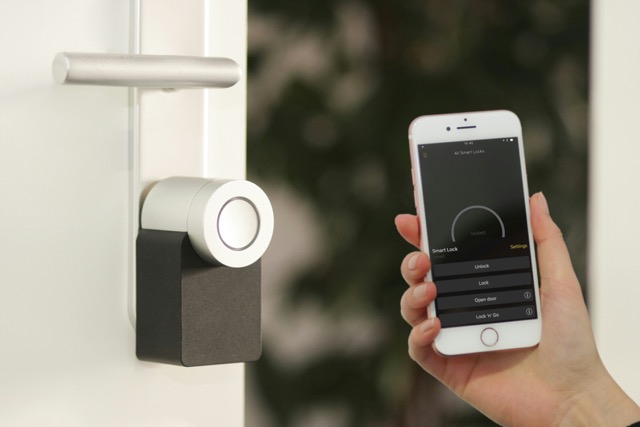
A smart lock lets you issue a unique access code (or digital key) for each booking. The code activates around check-in and automatically expires after checkout, so a guest's access ends when their stay does — no keys handed over, none to get copied or lost. The two questions worth asking about any lock are simple: is it connected so you can manage it remotely, and can you program access codes on it? If both are yes, you can unlock, issue codes and monitor access from anywhere.
What separates a good setup
- Reliable connectivity. A lock that drops off the network is worse than a key. Solid Wi-Fi and, ideally, backup matters.
- Automated code lifecycle. Codes that generate, deliver and expire automatically — the manual version doesn't scale past a property or two.
- Integration with the rest of the property. A check-in can also bring up the lights and climate; a checkout can shut everything down and prep the space for cleaning.
- Central control for multiple doors. Managing several properties from one dashboard, rather than juggling apps, is what makes a portfolio manageable.
A smart lock is only as good as the software behind it. Without that, it's an expensive way to open a door.
Security and backup
Good setups keep a physical override and battery alerts so you're never caught out, and pair the lock with cameras or sensors so you know when guests actually arrive and leave. The lock is the front door of a bigger system, not the whole system.
How Clariom sets it up
We install keyless entry as part of an integrated property — access tied into lighting, climate, energy and security — so check-in and checkout trigger everything they should, and you manage it all from one place. Never hide a key again.